Product Reviewed: Zapier
Author: Abdellatif Al Ahyane – Cartora.io
Introduction
Most small businesses don’t have a software problem.
They have a workflow problem.
Your business probably runs on several tools:
Gmail
Google Sheets
Slack
Notion
CRM software
marketing tools
Each tool works fine on its own.
The real problem is that these tools don’t communicate with each other.
So you end up doing repetitive work like:
copying leads into spreadsheets
notifying your team manually
creating tasks after every form submission
updating multiple systems
Individually, these tasks look small.
But together they eat hours every week.
This is exactly the problem Zapier automation solves.
Zapier connects thousands of cloud apps and lets you automate workflows between them.
Instead of manually moving data between tools, Zapier automations run the process automatically.
Set the trigger once.
The workflow runs forever.
Table of Contents
- What Is Zapier
- Key Features
- Feature Rating
- Pricing
- Pros and Cons
- Best Zapier Automations for Small Businesses
- Automation Use Cases Table
- Alternatives
- Is Zapier Worth It
- Final Rating
- FAQ
- Related Articles
- Conclusion
What Is Zapier
Zapier is a cloud automation platform designed to connect apps and automate workflows between them.
Its core idea is simple.
Connect apps together and automate actions between them.
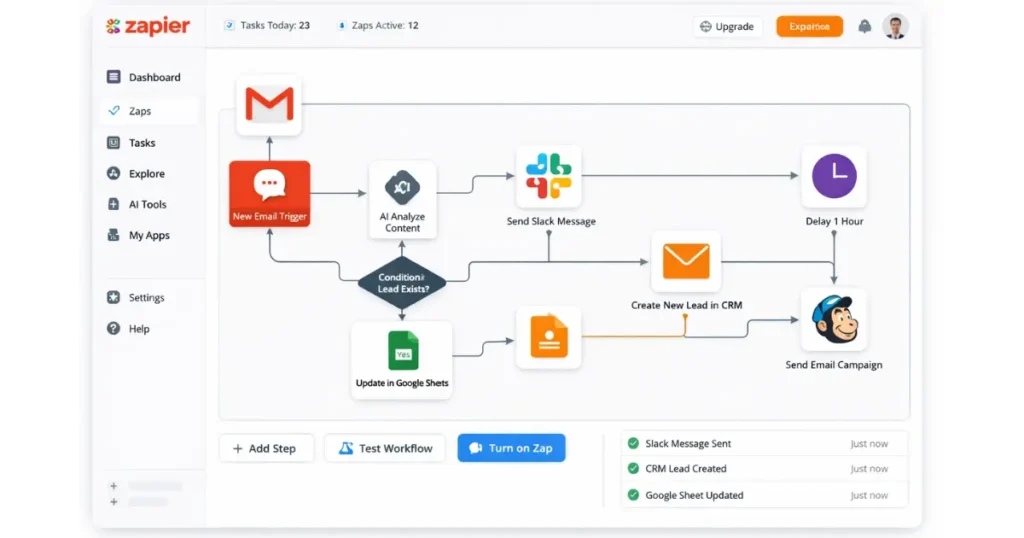
Zapier calls these workflows Zaps.
A Zap usually has two parts.
Trigger
Something happens in an app.
Example:
New lead submits a form.
Action
Zapier performs an automatic task.
Example:
Add the lead to your CRM.
So a simple automation looks like this:
Form submission → Add lead to CRM → Notify team.
Zapier supports 7000+ integrations, including:
Gmail
Slack
Google Sheets
Notion
HubSpot
Shopify
Trello
Airtable
Because Zapier runs entirely in the cloud, it works quietly in the background.
Once configured, workflows can run 24/7 without intervention.
Key Features
Zapier is not just an integration tool.
It is a full automation platform.
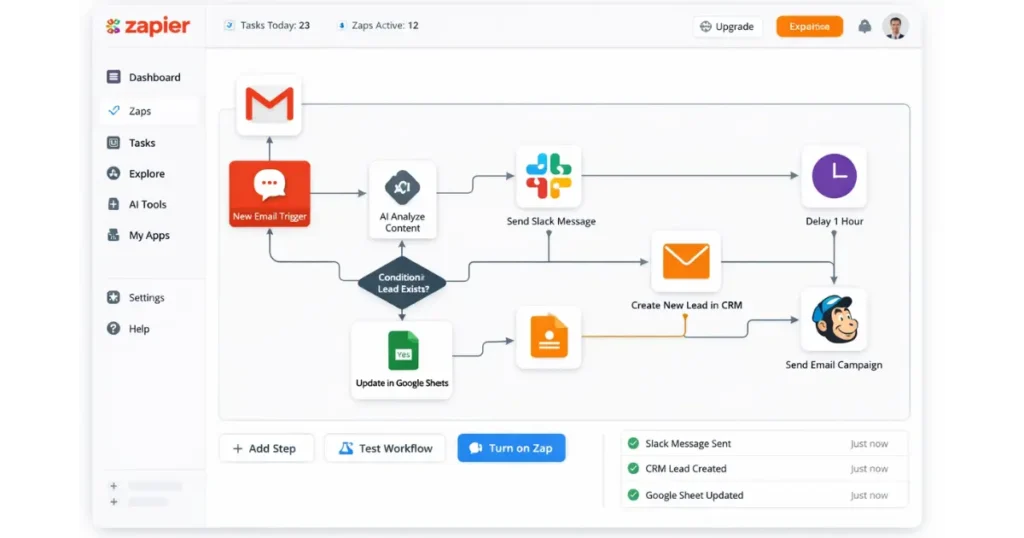
Multi-Step Automations
Simple automation connects two apps.
Multi-step Zaps connect many tools in sequence.
Example workflow:
Lead Form → CRM → Slack Notification → Email Sequence.
7000+ Integrations
Zapier has one of the largest integration libraries in SaaS.
This means you can connect tools across:
marketing
sales
CRM
support
productivity
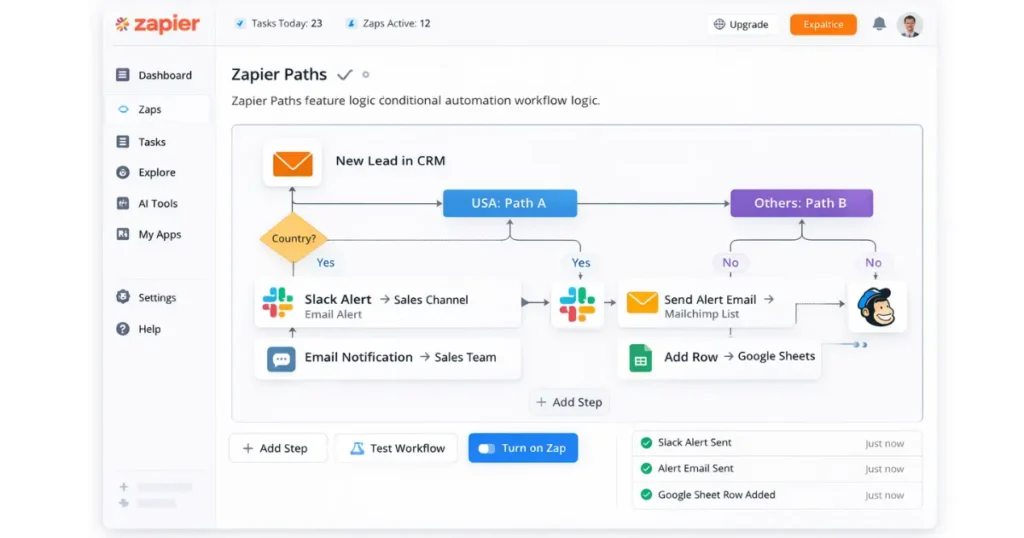
Filters and Conditional Logic
You can create smart workflows using filters.
Example:
If lead country = USA → send to sales team.
If not → ignore.
Scheduled Workflows
Zapier can run automations on schedules.
Example:
Send weekly reports every Monday.
Webhooks and API Support
Advanced users can integrate tools through APIs.
This allows Zapier to connect with custom systems and internal tools.
Feature Rating Table
| Feature | Rating |
|---|---|
| Ease of Use | ⭐⭐⭐⭐⭐ |
| Automation Power | ⭐⭐⭐⭐ |
| Integrations | ⭐⭐⭐⭐⭐ |
| Business Value | ⭐⭐⭐⭐ |
Pricing
Zapier uses a task-based pricing model.
A task is any action your Zap performs.
Example:
Form submission → add row to spreadsheet = 1 task.
| Plan | Price | |
|---|---|---|
| Free | $0 | Testing automation |
| Starter | ~$19/month | Solopreneurs |
| Professional | ~$49/month | Small teams |
| Team | ~$69/month | Businesses with multiple users |
Note: Annual plans typically offer around a 33% discount.
Pros and Cons
Pros
Zero Code
If you can use a mouse, you can use Zapier.
Reliability
One of the most stable automation platforms in SaaS.
Fast Setup
Most automations take less than five minutes to build.
AI Features
New updates make it easier to create intelligent workflows.
Cons
The “Zapier Tax”
Costs grow quickly with large automation volumes.
Linear Logic
Complex workflows are sometimes easier in visual automation tools like Make.
Limited Fields
Some integrations expose limited data fields.
Best Zapier Automations for Small Businesses
These are real automation workflows many small businesses use.
Immediate Lead Response Automation
Trigger
New lead in Facebook Lead Ads or website form
Automation
Use AI to summarize lead data
Send personalized SMS or email reply.
Why it matters:
Leads are 9x more likely to convert if contacted within 5 minutes.
Automation guarantees instant response.
Automated Testimonial Collection
Trigger
Payment successful in Stripe.
Automation
Wait 7 days
Send feedback request email
Store testimonials automatically in Airtable
Automated Bookkeeping
Trigger
New invoice created in Stripe.
Automation
Create sales entry in accounting spreadsheet
Send invoice copy to accountant
Notify finance channel in Slack.
Meeting Summary to Task List
Trigger
Zoom or Google Meet recording completed
Automation
Transcribe meeting
Extract action items
Create tasks automatically in Notion or Asana.
Content Repurposing Workflow
Trigger
New YouTube video published
Automation
AI generates LinkedIn post
Creates Twitter thread
Saves drafts in social scheduler.
Client Onboarding Automation
Trigger
Contract signed in DocuSign or PandaDoc
Automation
Create Slack channel for client
Generate Google Drive project folder
Assign onboarding tasks.
Crisis Monitoring System
Trigger
Negative sentiment detected in email or social media mention.
Automation
Send urgent Slack alert to founder
Auto-reply acknowledging the issue.
Automation Use Cases by Business Type
| Business Type | Example Automation |
|---|---|
| Marketing Agency | Lead form → CRM → Slack notification |
| Ecommerce Store | Order → Google Sheet → Inventory update |
| Freelancer | Contract signed → Onboarding workflow |
| SaaS Startup | Support ticket → Task in Notion |
Alternatives
Zapier is not the only automation platform.
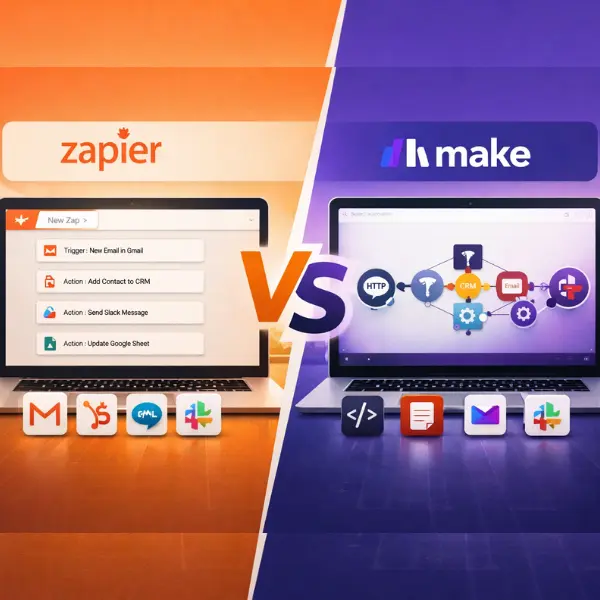
Make
Make offers powerful visual workflows and is often cheaper for complex automation scenarios.
n8n
An open-source automation platform preferred by developers who want full control over workflows.
Microsoft Power Automate
A strong option for businesses already using the Microsoft ecosystem.
Is Zapier Worth It?
If you value time over money, Zapier is worth every penny.
It removes repetitive operational work and allows businesses to automate processes without coding.
However, if your business runs extremely high task volumes, Zapier can become expensive.
For most solopreneurs and small businesses, the simplicity and reliability make it one of the best automation platforms available.
Final Rating
⭐ Ease of Use — 9/10
⭐ Automation Power — 8/10
⭐ Integrations — 10/10
⭐ Value for Money — 7/10
Overall Score: 8.8 / 10
Conclusion
Automation is no longer optional for modern businesses.
Manual workflows slow teams down and limit scalability.
Zapier solves this by connecting your apps and running automated workflows automatically in the background.
For solopreneurs and growing companies, it is one of the easiest ways to build scalable operations without coding