
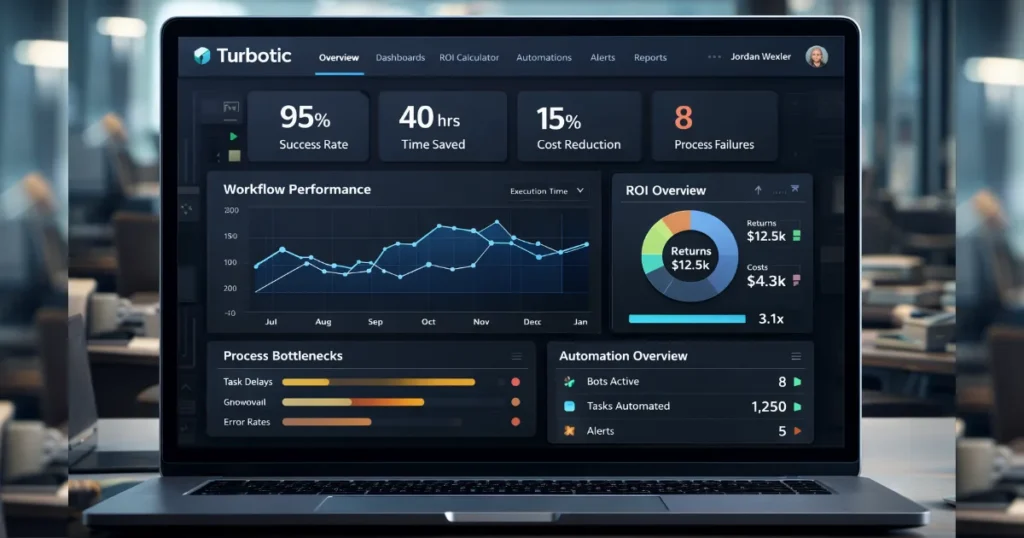
Product Reviewed: Turbotic.com
Author: Abdellatif Al Ahyane – Cartora.io
INTRODUCTION
Most small businesses don’t fail because of lack of automation.
They fail because they can’t see what their automation is doing.
You build workflows.
You connect tools.
You automate tasks across your stack.
On paper, everything looks efficient.
In reality?
- Some workflows don’t run properly
- Some automations fail without alerts
- Some processes waste more time than they save
That’s the real problem.
Automation without visibility = blind operations.
And blind operations don’t scale.
This is where Turbotic comes in.
It doesn’t try to replace your automation tools.
It doesn’t try to build workflows.
Instead, it focuses on something most tools ignore:
👉 monitoring, analyzing, and optimizing your automation workflows
So you can actually understand:
- what’s working
- what’s breaking
- what’s costing you time and money
But here’s the honest question:
👉 Is Turbotic actually useful for small businesses…
or is it just an enterprise-level tool dressed up as SaaS?
Let’s break it down.
TABLE OF CONTENTS
- What is Turbotic
- Key Features
- Feature Ratings
- Pricing
- Pros and Cons
- Best Use Cases
- Alternatives
- Is It Worth It?
- Final Rating
- FAQ
WHAT IS THIS TOOL
Turbotic is an automation intelligence platform built to give businesses visibility into their workflows.
It’s not a typical automation builder.
It doesn’t create workflows like Zapier or Make.
Instead, it helps you monitor, analyze, and optimize the automation systems you already use.
Here’s what it focuses on:
- Monitoring automation performance across multiple tools
- Analyzing workflow execution and process behavior
- Tracking efficiency, errors, and ROI of automation
Think of it as a control layer on top of your automation stack.
Not another tool to build automations…
But a tool to understand if your automations are actually working.
Category
- Automation Analytics Software
- Workflow Optimization Platform
- Cloud Software for Process Visibility
Problem It Solves
Most small businesses don’t lack automation.
They lack clarity.
They don’t know:
- Which workflows actually save time
- Which automations fail without being noticed
- Where inefficiencies slow down operations
This leads to:
- hidden errors
- wasted time
- poor scalability
Turbotic solves this by adding data, insights, and real-time visibility to your automation workflows.
So instead of guessing…
👉 you make decisions based on actual performance.
KEY FEATURES
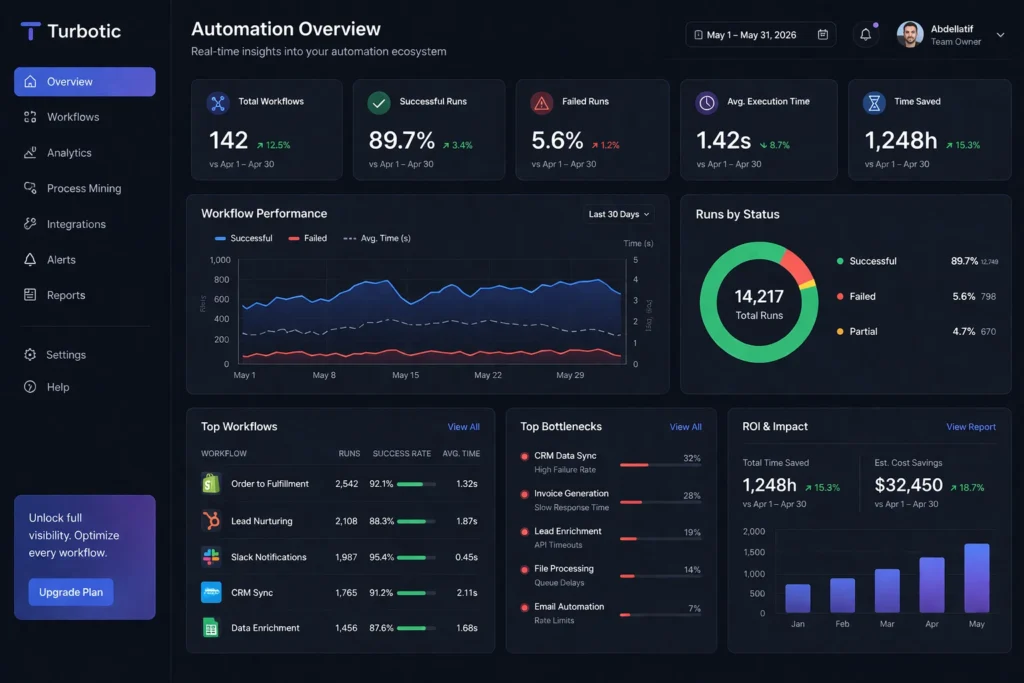
• Automation Analytics Dashboard
The core of Turbotic is its automation analytics dashboard.
It gives you a clear view of how your workflows perform across different systems.
You can track:
- Execution times (how long workflows take)
- Failure rates (where things break)
- Process bottlenecks (where automation slows down)
👉 This is where most businesses realize their “automation” isn’t as efficient as they think.
• Process Mining
Turbotic doesn’t just show data.
It shows how workflows actually run in real life.
This feature compares:
- expected workflow logic
vs - real execution behavior
If your automation is messy (and most are), this helps you:
- spot inefficiencies
- identify unnecessary steps
- simplify processes
• ROI Tracking
Automation sounds good… until you try to measure it.
Turbotic tracks:
- time saved
- cost efficiency
- workflow performance impact
👉 Useful if you want to know:
“Is this automation actually worth it?”
Especially important for small businesses with limited budgets.
• Integration Layer
Turbotic connects with:
- RPA tools
- workflow automation platforms
- enterprise systems
This allows it to collect data across your entire automation stack.
But here’s the reality:
👉 Setup is not beginner-friendly.
If you’re not comfortable with integrations or APIs, expect a learning curve.
• Centralized Monitoring
Instead of jumping between tools…
You get one dashboard for everything.
- One place to monitor workflows
- One place to analyze performance
- One place to spot issues
👉 This reduces operational chaos.
• Scalability Focus
Turbotic is not built for one simple workflow.
It’s designed for:
- multiple automations
- multiple tools
- growing operations
That makes it more useful for:
👉 teams managing complex workflows
👉 businesses scaling their automation systems
Not ideal if you just need a simple automation setup.
FEATURE RATING TABLE
| Feature | Rating |
|---|---|
| Ease of Use | ⭐⭐⭐ |
| Automation Power | ⭐⭐⭐⭐ |
| Integrations | ⭐⭐⭐⭐ |
| Business Value | ⭐⭐⭐⭐ |
👉 Quick insight:
Turbotic is powerful, but not beginner-friendly.
You trade simplicity for deeper visibility and analytics.
PRICING
Turbotic does not follow the typical SaaS pricing model.
You won’t find:
- simple monthly plans
- clear pricing tiers
- self-serve checkout
That’s already a signal.
👉 It’s positioned closer to enterprise-grade cloud software than lightweight SMB tools.
Typical Pricing Model
- Custom pricing
- Based on:
- number of workflows
- integrations
- usage volume
- business scale
This means pricing can vary a lot depending on your setup.
Pricing Table
| Plan | Price | Best For |
|---|---|---|
| Basic | Custom | Small teams testing automation visibility |
| Pro | Custom | Growing businesses with multiple workflows |
| Enterprise | Custom | Large companies with complex automation systems |
Reality Check
No transparent pricing = friction.
For small businesses, this creates two problems:
- harder to evaluate ROI upfront
- slower decision-making
If you’re a solopreneur or early-stage startup, this will likely feel like:
👉 too complex + too expensive for your needs
PROS AND CONS
| Pros | Cons |
|---|---|
| Strong automation visibility | Not beginner-friendly |
| Deep workflow analytics | No transparent pricing |
| Useful for scaling operations | Setup can be complex |
| Centralized monitoring | Not an automation builder |
Honest Take
Turbotic is not trying to be simple.
It’s trying to be powerful and analytical.
That’s good… if you actually need it.
But if your automation stack is still small,
👉 you’ll feel the complexity more than the value.
BEST USE CASES
Turbotic is not for everyone.
It works best in specific scenarios where visibility matters more than building automation.
1. Automation Monitoring
If your business already uses:
- APIs
- workflow automation tools
- multiple SaaS platforms
Then you probably have one problem:
👉 You don’t know what’s actually happening behind the scenes.
Turbotic helps you:
- monitor workflow execution
- detect failures early
- understand performance across tools
This is where it delivers immediate value.
2. Workflow Optimization
Most automations look good… until you analyze them.
Turbotic helps you identify:
- slow processes that waste time
- broken automations that silently fail
- inefficient workflows that need simplification
👉 This is where Turbotic really stands out.
Not in building automation…
But in making existing workflows better.
3. Operations Teams Managing Scale
If you’re handling:
- multiple tools
- multiple workflows
- multiple team members
Things get complex fast.
Turbotic gives you:
- centralized workflow visibility
- performance tracking across systems
- better operational control
👉 This is especially useful for growing businesses scaling their automation stack.
4. ROI Tracking for Automation
Most small businesses guess ROI.
They assume automation is saving time…
But they don’t actually measure it.
Turbotic gives you:
- real data on time saved
- cost efficiency insights
- workflow performance metrics
👉 So you move from assumptions to data-driven decisions.
Where It Falls Short
Turbotic is powerful… but not simple.
If you’re looking for:
- quick setup
- drag-and-drop automation
- beginner-friendly tools
👉 This is NOT the right platform.
It doesn’t replace tools like Zapier or Make.
It sits on top of them.
Reality Check
A common mistake:
👉 Using advanced tools too early.
If your automation stack is still simple,
Turbotic will feel like overkill.
If your workflows are complex,
👉 it starts to make a lot more sense.
ALTERNATIVES
Turbotic is not the only way to manage automation.
But most alternatives focus on building workflows, not analyzing them.
Zapier
- Easier to use
- Built for simple automation workflows
- Huge library of integrations
👉 Best for: beginners and fast setup
Limitation:
Lacks deep automation analytics and performance tracking.
You can automate…
But you won’t fully understand what’s happening behind the scenes.
Make
- More powerful workflow automation
- Visual builder for complex processes
- Better scalability than simple tools
👉 Best for: advanced automation setups
Limitation:
Still focused on execution, not automation monitoring and optimization.
Notion + Manual Tracking
- Cheaper
- Flexible for documenting workflows
- Works for simple setups
👉 Best for: early-stage businesses
Limitation:
No real automation analytics, no monitoring, no performance insights.
You’re basically guessing.
Key Difference
Most tools help you:
👉 build automation
Turbotic helps you:
👉 understand and optimize automation
That’s a completely different layer.
IS THIS TOOL WORTH IT?
Short answer: It depends on your stage.
✅ Yes, if:
- you already run multiple automation workflows
- you use several SaaS tools and integrations
- you need visibility into performance and errors
- you care about optimization and scalability
👉 In this case, Turbotic can unlock real value.
❌ No, if:
- you’re just starting with automation
- your workflows are simple
- you want a drag-and-drop tool
- you don’t track ROI yet
👉 Then this will feel like overkill.
Big Mistake to Avoid
Most people think:
👉 “More advanced tool = better results”
That’s wrong.
Advanced tools only work when your system is already complex.
Reality Check
Turbotic is powerful.
But:
👉 Power without need = wasted money + unnecessary complexity
FINAL RATING
Turbotic — 8 / 10
Final Thought
Turbotic is not built for beginners.
It’s built for businesses that already depend on automation, integrations, and complex workflows…
and need to monitor, analyze, and optimize performance.
If your automation stack is still simple,
👉 this tool will feel unnecessary.
If your workflows are growing and getting harder to manage,
👉 this is where Turbotic starts to make sense.
Bottom Line
Turbotic doesn’t help you build automation.
It helps you understand if your automation is actually working.
And for the right business…
👉 that can be more valuable than building more workflows.
Recommendation
If you’re serious about improving workflow efficiency and scaling your automation systems:
👉 It’s worth testing.
FAQ
RELATED ARTICLES

AdCreative.ai Review (2026): Best AI Ad Generator for High-Converting Facebook & Google Ads?
Product Reviewed: AdCreative.aiAuthor: Abdellatif Al Ahyane – Cartora.io INTRODUCTION Running Facebook and Google ads sounds simple. Until you actually start…

ManyChat Review (2026): Best Chat Automation Tool for Instagram & WhatsApp?
Product Reviewed: ManyChatAuthor: Abdellatif Al Ahyane – Cartora.io INTRODUCTION Most small businesses don’t struggle with traffic. They struggle with converting…
Turbotic.com Review (2026): Is It the Best Automation Platform for Small Businesses?
Product Reviewed: Turbotic.comAuthor: Abdellatif Al Ahyane – Cartora.io INTRODUCTION Most small businesses don’t fail because of lack of automation. They…

Jasper vs Copy.ai vs Writesonic (2026): Best AI Writing Tool for SaaS?
Product Reviewed: Jasper, Copy.ai, WritesonicAuthor: Abdellatif Al Ahyane – Cartora.io INTRODUCTION Problem Most SaaS founders are stuck in manual content…

Systeme.io vs ClickFunnels (2026): Best Funnel Builder for Small Businesses & Solopreneurs
Product Reviewed: Systeme.io, ClickFunnels (v2.0) Author: Abdellatif Al Ahyane – Cartora.io INTRODUCTION The Problem Building a sales funnel should be…