ClickUp vs Notion is one of the most searched productivity tool comparisons in 2026.
Product Reviewed: ClickUp, Notion
Author: Abdellatif Al Ahyane – Cartora.io
INTRODUCTION
Your system is breaking.
Sticky notes. Random bookmarks. That one Excel file you call “Master”.
You already know it’s not scalable.
Now you’re stuck between two tools:
- One promises to replace everything (ClickUp)
- The other promises a clean all-in-one workspace (Notion)
You tried both… and ended up wasting hours organizing instead of working.
That’s the real problem.
This guide cuts through the noise and answers one question:
👉 Which tool actually works for real business workflows in 2026?
TABLE OF CONTENTS
- Who Should Use These Tools
- Quick Summary
- Feature Comparison
- Pricing
- Pros & Cons
- ClickUp Review
- Notion Review
- Real Talk
- Automation Mistakes
- How to Choose
- Use Cases
- Final Verdict
WHO SHOULD USE THESE TOOLS
ClickUp is for:
- Agencies managing multiple clients
- Startups running structured workflows
- Teams needing accountability + deadlines
Notion is for:
- Solopreneurs
- Content creators
- Teams building knowledge systems
QUICK SUMMARY TABLE
| Category | ClickUp | Notion |
|---|---|---|
| Core Philosophy | Execution | Knowledge |
| Learning Curve | High | Medium |
| Automation | Advanced | Basic |
| AI | Task-focused | Content-focused |
| Best For | Teams | Individuals |
FEATURE COMPARISON
| Feature | ClickUp | Notion |
|---|---|---|
| Task Management | ⭐⭐⭐⭐⭐ | ⭐⭐⭐ |
| Docs/Wiki | ⭐⭐⭐ | ⭐⭐⭐⭐⭐ |
| Automation | ⭐⭐⭐⭐⭐ | ⭐⭐⭐ |
| Time Tracking | ⭐⭐⭐⭐⭐ | ⭐ |
| AI | ⭐⭐⭐⭐ | ⭐⭐⭐⭐⭐ |
PRICING
| Plan | ClickUp | Notion |
|---|---|---|
| Free | Yes | Yes |
| Paid | $7/mo | $10/mo |
| Business | $12/mo | $15/mo |
👉 ClickUp = more features per dollar
👉 Notion = simplicity
PROS & CONS
| Tool | Pros | Cons |
|---|---|---|
| ClickUp | Powerful, scalable, automation | Complex, heavy UI |
| Notion | Flexible, clean, intuitive | Weak task system |
🔥 CLICKUP REVIEW: THE EXECUTION MACHINE
Overview
ClickUp is not just a productivity tool.
It’s a system built for execution.
Everything inside ClickUp revolves around:
- tasks
- deadlines
- accountability
Unlike Notion, ClickUp is designed to answer one question:
👉 Who is doing what, and when?
That’s why it’s widely used by:
- agencies
- startups
- growing teams
👉 ClickUp is less about organizing ideas — and more about getting work done at scale.
Key Features
Advanced Task Hierarchy
Organize work into Spaces → Folders → Lists → Tasks for full structure.
Built-in Automation
Create rules like:
“When task is created → assign team member → set deadline”
Time Tracking
Track time directly inside tasks without external tools.
ClickUp Brain (AI Manager)
Analyze tasks, summarize projects, and suggest priorities.
15+ Views
Switch between Gantt, Kanban, Calendar, Table, and more.
Pros
- Powerful automation engine
- Built for team collaboration
- Highly scalable as your business grows
- Everything is trackable and measurable
Cons
- Interface can feel overwhelming at first
- Requires setup time
- Too complex for simple workflows
Pricing
ClickUp offers a free plan with strong features.
Paid plans start at $7/month, making it one of the most affordable tools for its power.
Best For
👉 Teams managing multiple projects
👉 Agencies working with clients and deadlines
👉 Businesses that need structure, tracking, and accountability
Workflow Example
Client onboarding workflow:
New client signs →
ClickUp automatically creates tasks →
Assigns team members →
Sets deadlines →
Triggers Slack notifications
👉 No manual setup. No missed steps.
Reality Check (Important)
ClickUp works best when:
✔ You have a team
✔ You manage multiple projects
✔ You need automation and deadlines
But it can feel heavy when:
❌ You work solo
❌ Your workflow is simple
❌ You don’t need automation
👉 In those cases, Notion might feel easier.
Final Take
ClickUp is one of the best tools for:
👉 execution
👉 team management
👉 scalable workflows
But it’s not designed for simplicity.
👉 Start with ClickUp and build your first automated workflow
NOTION REVIEW: THE KNOWLEDGE HUB
Overview
Notion is not just a productivity tool.
It’s a knowledge management system.
Everything inside Notion is built around ideas, documentation, and structured information.
Instead of focusing on tasks, Notion focuses on how you think, organize, and connect information.
That’s why many solopreneurs use it as:
- a content hub
- a personal CRM
- a business dashboard
Key Features
- Relational Databases (best in class)
Connect projects, clients, and content inside one system - Notion AI
Generate content, summarize notes, and organize ideas instantly - Wiki System
Build internal documentation and SOPs for your business - Custom Properties
Create flexible fields (text, formula, relation, rollup) - Templates
Launch workflows quickly without building from scratch
Pros
- Extremely flexible (you can build almost anything)
- Clean and minimal interface
- Perfect for documentation and content workflows
- Strong for knowledge organization
Cons
- Weak automation compared to tools like ClickUp
- Task management is limited
- No true project structure for complex workflows
Pricing
Notion offers a free plan that is powerful enough for most solopreneurs.
Paid plans start at $10/month, mainly for team collaboration and advanced features.
Best For
👉 Solopreneurs, creators, and small teams
👉 Businesses focused on content, documentation, and knowledge systems
Workflow Example
Content creation workflow:
Idea →
Notion AI expands the idea →
Content is added to a database →
Status updated (Draft / Published) →
Scheduled inside a content calendar
👉 This makes Notion perfect for creators who need a simple but structured system
REAL TALK: 2026 REALITY
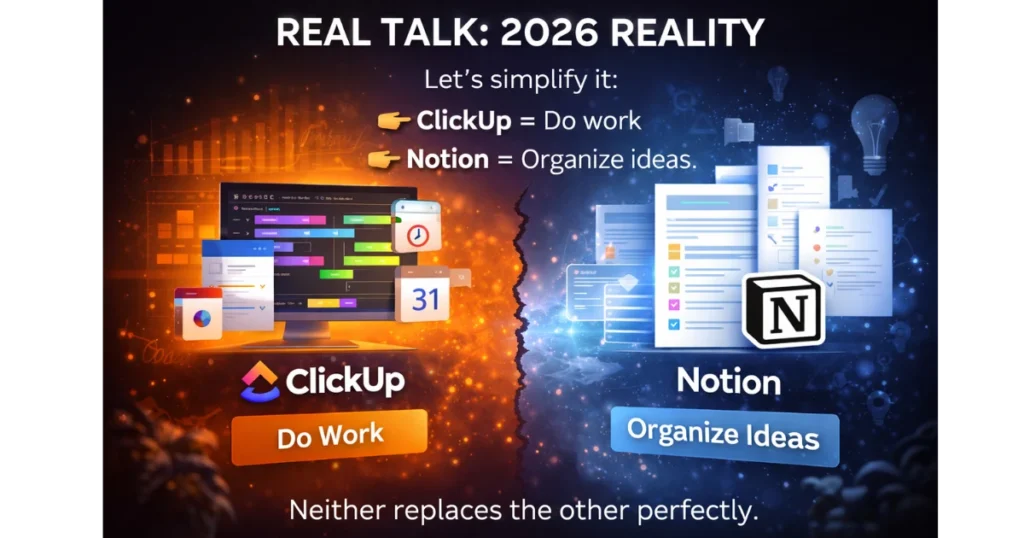
Let’s simplify it:
👉 ClickUp = Do work
👉 Notion = Organize ideas
Both try to do everything.
Neither replaces the other perfectly.
COMMON AUTOMATION MISTAKES
- Overbuilding workflows
- Using too many tools
- Ignoring integrations
- No clear system
👉 Tools don’t fix chaos.
HOW TO CHOOSE
Ask yourself:
👉 Did I miss deadlines? → ClickUp
👉 Did I lose information? → Notion
VISUAL WORKFLOW
AUTOMATION USE CASES
| Use Case | ClickUp | Notion |
|---|---|---|
| Task automation | Native | Limited |
| CRM | Strong | Medium |
| Content system | Medium | Strong |
TECHNICAL RATINGS
- Automation: ClickUp (9/10) | Notion (5/10)
- Flexibility: ClickUp (8/10) | Notion (9/10)
- Scalability: ClickUp (9/10) | Notion (7/10)
FINAL RECOMMENDATION
👉 Best for teams: ClickUp
👉 Best for solopreneurs: Notion
If you want structure → ClickUp
If you want flexibility → Notion
CONCLUSION
You don’t need more tools.
You need the right system.
Most businesses fail because they overcomplicate their workflows.
Not because they lack software.
ClickUp helps you execute.
Notion helps you think.
Both are powerful.
But they serve different purposes.
👉 If your problem is missed deadlines and messy projects → choose ClickUp
👉 If your problem is scattered ideas and disorganized information → choose Notion
Pick one.
Keep it simple.
And actually use it every day
FAQ