
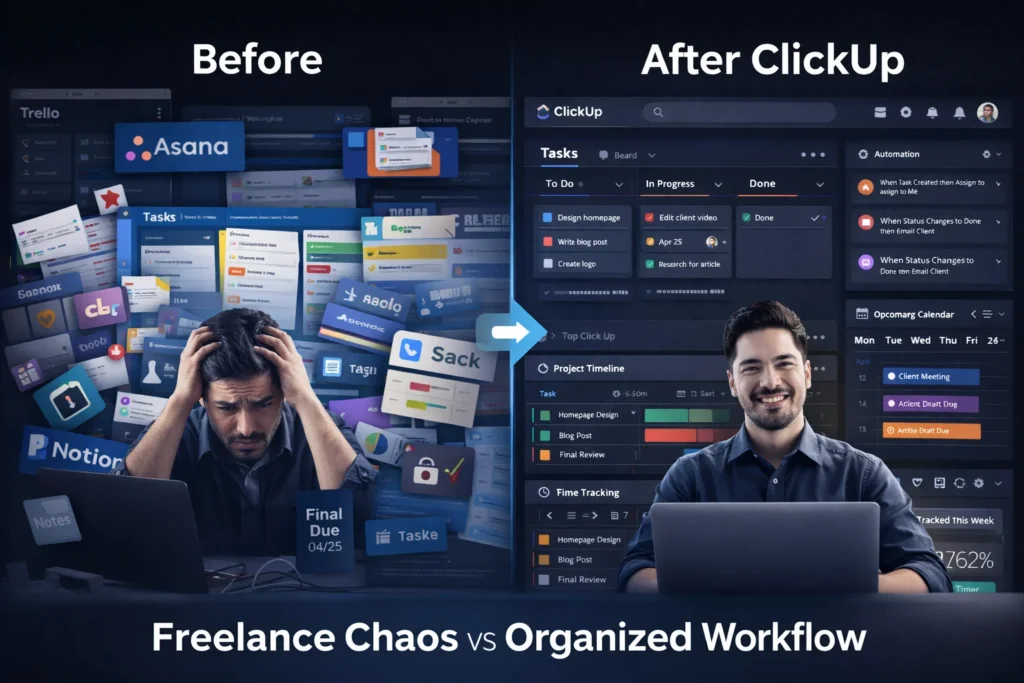
Product Reviewed: ClickUp
Author: Abdellatif Al Ahyane – Cartora.io
WHAT IS THIS TOOL
ClickUp is a cloud-based project management and productivity platform built to manage work in one place.
For freelancers, it solves a critical problem:
👉 scattered workflow
Instead of managing work across:
- emails
- notes apps
- spreadsheets
ClickUp centralizes everything into a single freelancer workflow system.
You can:
- manage client projects
- track deadlines
- automate repetitive tasks
- organize your entire business
Category:
Productivity + project management + workflow automation
What makes it different?
ClickUp is not just a task manager.
It’s a scalable system.
Meaning:
- it works when you have 2 clients
- and still works when you have 20+
KEY FEATURES
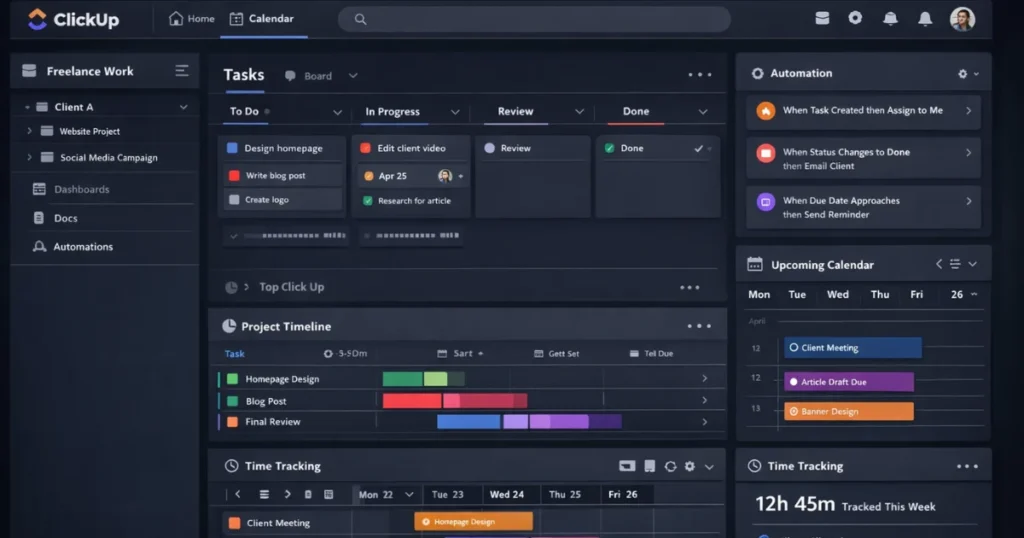
Task Management (Your Core System)
This is where most of your work lives.
You can:
- create tasks for each client deliverable
- break them into subtasks
- add checklists and deadlines
👉 Example:
Instead of “build website”
You create:
- homepage design
- about page
- contact form
Result:
You stop missing details.
Multiple Views (Work Your Way)
ClickUp gives you different ways to see your work:
- List view → simple task tracking
- Board view → Kanban workflow (To Do → Done)
- Calendar view → deadline control
👉 Freelancers usually combine:
- Board (workflow) + Calendar (deadlines)
Automation (Where You Save Time)
This is where ClickUp becomes powerful.
You can:
- auto-assign tasks
- change statuses automatically
- trigger actions based on conditions
👉 Example:
- Task created → automatically assigned
- Status = Done → notify client
Result:
Less manual work. More focus.
Time Tracking (Know Your Real Value)
Most freelancers guess their time.
Bad idea.
ClickUp lets you:
- track billable hours
- measure time per task
- generate reports
👉 This helps you:
- price better
- avoid undercharging
Docs & Notes (Replace 3 Tools)
Instead of using:
- Google Docs
- Notion
- Notes apps
You can:
- create client briefs
- store SOPs
- document processes
Everything stays inside your workflow.
Integrations (Connect Your Stack)
ClickUp connects with tools you already use:
- Google Drive
- Slack
- email platforms
- CRM tools
👉 Important note (honest take):
Integrations are good…
but not always perfect.
Sometimes you’ll still need external automation.
FEATURE RATING TABLE
| Feature | Rating |
|---|---|
| Ease of Use | ⭐⭐⭐⭐ |
| Automation Power | ⭐⭐⭐⭐⭐ |
| Integrations | ⭐⭐⭐⭐ |
| Business Value | ⭐⭐⭐⭐⭐ |
CLICKUP FOR FREELANCERS: QUICK SUMMARY
| Category | Verdict |
|---|---|
| Best For | Freelancers scaling operations |
| Ease of Use | Medium |
| Automation | Very Strong |
| Pricing | Affordable |
| Overall | 9/10 |
👉 Bottom line:
ClickUp is one of the best project management tools for freelancers who want structure and automation.
PRICING
ClickUp uses a freemium pricing model, which makes it accessible for beginners and scalable for advanced users.
But here’s the reality:
👉 Pricing is not the real cost.
👉 Complexity is.
ClickUp Pricing Plans
| Plan | Price | Best For |
|---|---|---|
| Free | $0 | Beginners & solo freelancers |
| Unlimited | ~$7/month | Freelancers managing multiple clients |
| Business | ~$12/month | Advanced workflows & automation |
What You Actually Get
Free Plan
- Unlimited tasks
- Basic views
- Limited automation
👉 Enough to start a freelance workflow system
Unlimited Plan
- More integrations
- Advanced dashboards
- Better collaboration
👉 Best balance between price and power
Business Plan
- Advanced automation
- Time tracking features
- Team-level controls
👉 Overkill for most solo freelancers
Reality Check (Honest Take)
The free plan works.
But once you:
- manage 5+ clients
- use automation seriously
- build structured workflows
👉 you’ll need to upgrade.
Hidden Cost (Most People Ignore)
ClickUp is cheap.
But:
- setup time = real cost
- learning curve = real cost
If you don’t build a system…
👉 you’ll waste more time than you save.
PROS AND CONS
Pros
- Flexible workflow system — adapts to any freelance business model
- Powerful automation features — reduces manual work significantly
- Free plan is actually usable — not just a demo
- All-in-one workspace — tasks, docs, and workflows in one place
Cons
- Learning curve at the beginning — setup takes time
- Can feel overwhelming if you don’t structure your workspace
- Too many features for simple users — not ideal if you want minimal tools
👉 Honest take:
ClickUp is powerful… but only if you build a system.
Without structure, it becomes just another complicated tool.
BEST USE CASES
1. Task Management (Core Freelance System)
Use ClickUp as your main task management software for freelancers.
You can:
- organize client work
- track deliverables
- manage deadlines
👉 Instead of guessing what to do next…
you follow a clear system.
2. Client Workflow Management
Track every project from start to finish:
- lead → active project → delivery
- approvals and revisions
- final completion
👉 This turns ClickUp into a client management system, not just a task tool.
3. Content Creation Workflow
Plan and manage content like a system:
- idea → draft → review → published
Works for:
- blog posts
- social media
- marketing campaigns
👉 No more scattered content across tools.
4. Automation Workflows (Time Saver)
This is where ClickUp pays off.
Example automation:
- New task → automatically assigned
- Status change → notify client
- Project completed → move to billing
👉 You reduce repetitive work and scale faster.
5. Time Tracking & Billing
Stop guessing your time.
Track:
- hours per client
- time per task
👉 This helps you:
- price your services correctly
- avoid undercharging
FULL SETUP GUIDE FOR FREELANCERS
Most people open ClickUp… then quit.
Let’s fix that.
Step 1: Create Workspace Structure
Use this:
- Workspace → Your business
- Spaces → Work categories
- Folders → Clients
- Lists → Projects
Step 2: Create Task System
Each task = one deliverable
Example:
- “Design homepage”
- “Write blog article”
Add:
- due date
- priority
- checklist
Step 3: Set Status Workflow
Keep it simple:
- To Do
- In Progress
- Review
- Done
Step 4: Use Automations
Start small:
- Task created → assign yourself
- Status = Done → notify client
Step 5: Create Templates
Reuse:
- blog templates
- onboarding
- project structures
Step 6: Use Calendar View
See deadlines clearly.
Avoid overload.
REAL FREELANCER WORKFLOW SYSTEM
This is where ClickUp becomes powerful.
Client Pipeline
- Lead → Proposal → Active → Completed
Project Workflow
- Task created
- Deadline set
- Status tracked
- Delivered
Content Workflow
- Idea → Draft → Review → Published
Automation Example
- New client → create project automatically
- Task completed → move to billing
This is how freelancers scale.
ALTERNATIVES
Before choosing ClickUp, it’s important to understand how it compares.
Notion
Better for:
- documentation
- knowledge management
Weaker for:
- task execution
- structured workflows
👉 If your work is mostly writing and organizing ideas → Notion works
👉 If your work is delivery and deadlines → ClickUp wins
Trello
Better for:
- simplicity
- quick setup
Weaker for:
- automation
- scalability
👉 Trello is good for beginners
👉 But it breaks when your freelance work grows
Asana
Better for:
- clean user experience
- structured teams
But:
- more expensive
- less flexible than ClickUp
👉 Asana is easier
👉 ClickUp is more powerful
IS CLICKUP WORTH IT FOR FREELANCERS?
Short answer: Yes — but only if you build a system.
ClickUp is not a “plug-and-play” tool.
It’s a workflow engine.
If you:
- take time to set it up
- build a structured workflow
- use automation
👉 it becomes one of the best freelancer productivity tools
Reality Check
- Want something simple → ClickUp is not ideal
- Want control and scalability → ClickUp is excellent
Honest Take
ClickUp is not beginner-friendly.
But for freelancers who:
- manage multiple clients
- handle complex projects
- want automation
👉 it’s one of the strongest tools available.
FINAL RATING
ClickUp — 9/10