
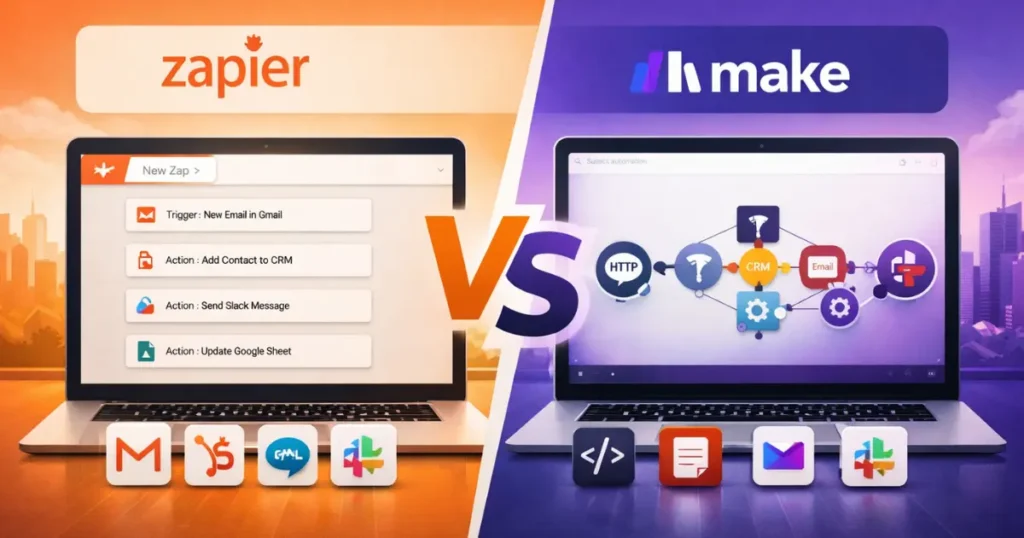
Product Reviewed: Zapier, Make (formerly Integromat)
Author: Abdellatif Al Ahyane – Cartora.io
🚀 Quick Answer (Featured Snippet – Optimized)
Zapier is better for beginners and simple automation.
Make is better for advanced workflows and lower costs at scale.
- Choose Zapier if you want fast setup and zero complexity
- Choose Make if you need flexibility, control, and scalability
👉 Zapier = easy setup
👉 Make = powerful automation system
INTRODUCTION
Problem
Modern businesses rely on multiple tools.
CRM, email, payments, marketing platforms.
But none of them are connected.
Agitation
This creates daily friction:
- manual data entry
- repetitive tasks
- human errors
And as your business grows…
👉 the problem gets worse.
Solution
Automation tools like Zapier and Make fix this.
They connect your apps and automate your workflows.
But choosing the wrong one?
👉 wastes time
👉 increases costs
👉 limits scalability
This guide gives you a clear, practical answer:
- Which tool fits your workflow
- Which one scales better
- Which one actually saves money
TABLE OF CONTENTS
- Quick Answer (Zapier vs Make)
- Who Should Use These Tools
- Quick Summary
- Feature Comparison
- Pricing Comparison
- Pros and Cons
- Zapier Review
- Make Review
- Real Talk
- Common Automation Mistakes
- How to Choose the Right Tool
- Automation Use Cases
- Technical Ratings
- Final Recommendation
- FAQ
WHO SHOULD USE ZAPIER VS MAKE
| Profile | Best Tool | Why |
|---|---|---|
| Beginners | Zapier | Fast setup, no technical skills required |
| Advanced Users | Make | Full control over workflows and logic |
| Solopreneurs | Zapier | Quick results without complexity |
| SaaS Founders | Make | Scalable automation systems |
👉 You’re not choosing a tool.
👉 You’re choosing a long-term automation system.
QUICK SUMMARY (Zapier vs Make)
| Feature | Zapier | Make |
|---|---|---|
| Ease of Use | ⭐⭐⭐⭐⭐ | ⭐⭐⭐ |
| Flexibility | ⭐⭐⭐ | ⭐⭐⭐⭐⭐ |
| Pricing | Higher at scale | More cost-efficient |
| Best For | Simplicity & speed | Advanced workflows & scalability |
👉 Zapier = simplicity
👉 Make = flexibility + control
FEATURE COMPARISON (DETAILED)
| Feature | Zapier ⭐ | Make ⭐ |
|---|---|---|
| Ease of Setup | ⭐⭐⭐⭐⭐ | ⭐⭐⭐ |
| Workflow Power | ⭐⭐⭐⭐ | ⭐⭐⭐⭐⭐ |
| Integrations | ⭐⭐⭐⭐⭐ | ⭐⭐⭐⭐ |
| Data Handling | ⭐⭐⭐ | ⭐⭐⭐⭐⭐ |
| Automation Depth | ⭐⭐⭐ | ⭐⭐⭐⭐⭐ |
Key Difference (Important)
The main difference between Zapier and Make is how they handle automation:
- Zapier focuses on simple, linear workflows
- Make focuses on complex, visual automation systems
👉 This is what impacts scalability and long-term cost.
PRICING COMPARISON (Zapier vs Make – 2026)
Zapier Pricing
- Free Plan: 100 tasks/month (basic automation only)
- Starter/Pro: Starts at ~$29/month
- Scaling Cost: Increases quickly with usage
👉 Key Insight:
Zapier becomes expensive when you automate high-volume workflows.
Make Pricing
- Free Plan: 1,000 operations/month (full features included)
- Core Plan: Starts at ~$10/month
- Scaling Cost: Much more predictable
👉 Key Insight:
Make is designed for high-volume automation at a lower cost.
⚖️ Pricing Verdict
👉 Make is 50–70% cheaper than Zapier for most businesses at scale
👉 Zapier is more expensive, but saves time with easier setup
PROS AND CONS (Zapier vs Make)
| Tool | Pros | Cons |
|---|---|---|
| Zapier | Easy setup, reliable, huge integrations library | Expensive at scale, limited advanced logic |
| Make | Powerful workflows, flexible logic, cost-efficient | Learning curve, slower initial setup |
🔥 Mini Insight (SEO Boost Section)
Zapier vs Make Pricing: What Most People Miss
Most users compare only the monthly price.
That’s a mistake.
👉 Zapier charges per task
👉 Make charges per operation
This means:
- A simple workflow may cost the same
- A complex workflow can cost 5x more on Zapier
👉 This is why Make wins for scaling businesses.
ZAPIER REVIEW
Overview
Zapier is the easiest automation tool for beginners.
It is designed to:
👉 connect apps quickly
👉 automate simple workflows
👉 reduce manual work without complexity
Unlike more advanced tools, Zapier focuses on speed and usability, not deep customization.
Key Features
- 8,000+ integrations (largest ecosystem in automation)
- Pre-built templates for quick setup
- Multi-step workflows (Zaps)
- AI-powered automation (text, summarization, triggers)
- No-code interface (no technical skills required)
👉 You can build your first automation in minutes.
Pros
- Extremely beginner-friendly
- Fast setup (no learning curve)
- Reliable and stable
- Works with almost every SaaS tool
Cons
- Limited advanced logic and flexibility
- Costs increase quickly at scale
- Not ideal for complex workflows
Pricing
Zapier offers a free plan, but most users will need a paid plan starting around $29/month to unlock multi-step automation.
👉 Costs grow fast as your automation volume increases.
Best For
- Freelancers and solopreneurs
- Small businesses
- Non-technical users
- Simple automation workflows
Workflow Example (Real Use Case)
Lead Generation Automation
- Trigger: New lead from Facebook Ads
- Action: Send welcome email via Gmail
- Action: Add contact to CRM
- Action: Notify team on Slack
👉 Result: Fully automated lead management
⚡ Why Zapier Wins (Important Insight)
Zapier is not the most powerful tool.
👉 But it is the fastest to implement.
If your goal is:
- speed
- simplicity
- reliability
👉 Zapier is the better choice.
.
MAKE REVIEW
Overview
Make is a powerful automation platform built for flexibility and scalability.
Unlike simple tools, Make gives you:
👉 full control over workflows
👉 advanced logic and data handling
👉 the ability to build complex automation systems
It’s designed for users who want more than just “connect two apps”.
Key Features
- Visual workflow builder (drag-and-drop interface)
- Advanced logic (routers, filters, conditions)
- Data processing tools (arrays, variables, transformations)
- API integrations for custom workflows
- Real-time execution tracking
👉 You can design automation like a system, not just a task.
Pros
- Extremely powerful automation capabilities
- Highly flexible workflows
- Cost-efficient at scale
- Ideal for complex business processes
Cons
- Requires time to learn
- Not beginner-friendly
- Initial setup can feel complex
Pricing
Make offers a free plan and paid plans starting around $10/month.
👉 It is significantly cheaper than Zapier for high-volume automation.
Best For
- SaaS founders and startups
- Growth teams
- Developers and advanced users
- Businesses with complex workflows
Workflow Example (Real Use Case)
Advanced Lead Processing System
- Trigger: New lead from website
- Filter: Check lead quality (location, budget)
- Router:
- High-value leads → CRM + Slack alert
- Low-value leads → Email sequence
- Action: Send personalized email
- Action: Store data in database
👉 Result: Fully automated lead qualification system
⚡ Why Make Wins (Important Insight)
Make is not the easiest tool.
👉 But it is the most scalable.
If your goal is:
- automation at scale
- handling large data
- building complex systems
👉 Make is the better choice.
🚀 CTA
Build powerful automation systems without high costs.
👉 Start Automating with Make
REAL TALK (Honest Comparison)
Both tools do the same core job:
👉 They connect apps and automate workflows
But the real difference is:
- Zapier = speed and simplicity
- Make = control and scalability
👉 This difference becomes critical as your business grows.
COMMON AUTOMATION MISTAKES
Most users fail with automation because of these mistakes:
- Automating broken workflows
- Overcomplicating simple tasks
- Using too many tools at once
- Ignoring monitoring and errors
👉 Start simple. Then scale your system step by step.
HOW TO CHOOSE THE RIGHT TOOL
[IMAGE HERE]
Image Type: SaaS automation workflow connecting multiple apps
Alt Text: automation workflow connecting SaaS tools
Choose Zapier if:
- You want fast setup
- You prefer simplicity over flexibility
- You don’t want to deal with technical complexity
Choose Make if:
- You need advanced workflows
- You handle large volumes of data
- You want long-term scalability
AUTOMATION USE CASES (Zapier vs Make)
| Task | Best Tool | Why |
|---|---|---|
| Basic workflows | Zapier | Easy setup |
| Complex systems | Make | Advanced logic |
| High-volume automation | Make | Cost-efficient |
| Quick automation | Zapier | Fast execution |
REAL AUTOMATION USE CASES
- Lead → CRM → Email automation
- Payment → Invoice → Slack notification
- Content → Social → Analytics tracking
👉 Automation = leverage for growth
TECHNICAL RATINGS
- Zapier → 8.5/10 (simple + reliable)
- Make → 9.5/10 (powerful + scalable)
FINAL RECOMMENDATION
Best for Beginners → Zapier
Simple, fast, and easy to use
Best Overall → Make
More powerful, flexible, and cost-efficient
👉 Choose Zapier for quick wins
👉 Choose Make for long-term systems
🚀 CTA (Optimized)
Start building smarter workflows and scale your business faster.
👉 Start Automating with Make
FAQ (Zapier vs Make)
RELATED ARTICLES
ClickUp for Freelancers: Full Setup Guide (2026)
Product Reviewed: ClickUpAuthor: Abdellatif Al Ahyane – Cartora.io WHAT IS THIS TOOL ClickUp is a cloud-based project management and productivity…

AdCreative.ai Review (2026): Best AI Ad Generator for High-Converting Facebook & Google Ads?
Product Reviewed: AdCreative.aiAuthor: Abdellatif Al Ahyane – Cartora.io INTRODUCTION Running Facebook and Google ads sounds simple. Until you actually start…

ManyChat Review (2026): Best Chat Automation Tool for Instagram & WhatsApp?
Product Reviewed: ManyChatAuthor: Abdellatif Al Ahyane – Cartora.io INTRODUCTION Most small businesses don’t struggle with traffic. They struggle with converting…

Turbotic.com Review (2026): Is It the Best Automation Platform for Small Businesses?
Product Reviewed: Turbotic.comAuthor: Abdellatif Al Ahyane – Cartora.io INTRODUCTION Most small businesses don’t fail because of lack of automation. They…

Jasper vs Copy.ai vs Writesonic (2026): Best AI Writing Tool for SaaS?
Product Reviewed: Jasper, Copy.ai, WritesonicAuthor: Abdellatif Al Ahyane – Cartora.io INTRODUCTION Problem Most SaaS founders are stuck in manual content…